Leumi 4.0 - Banking App

Bank Leumi's flagship application, redefines digital banking by empowering users to seamlessly manage their finances, conduct transactions, and access innovative banking solutions on the go.

In its constant effort to improve, Leumi consistently refines and iterates key features within the app. This case study highlights specific flows made to enhance user interactions and elevate the overall digital banking experience.
  • Native Mobile App
  • Complex Systems
  • FinTech
  • B2C
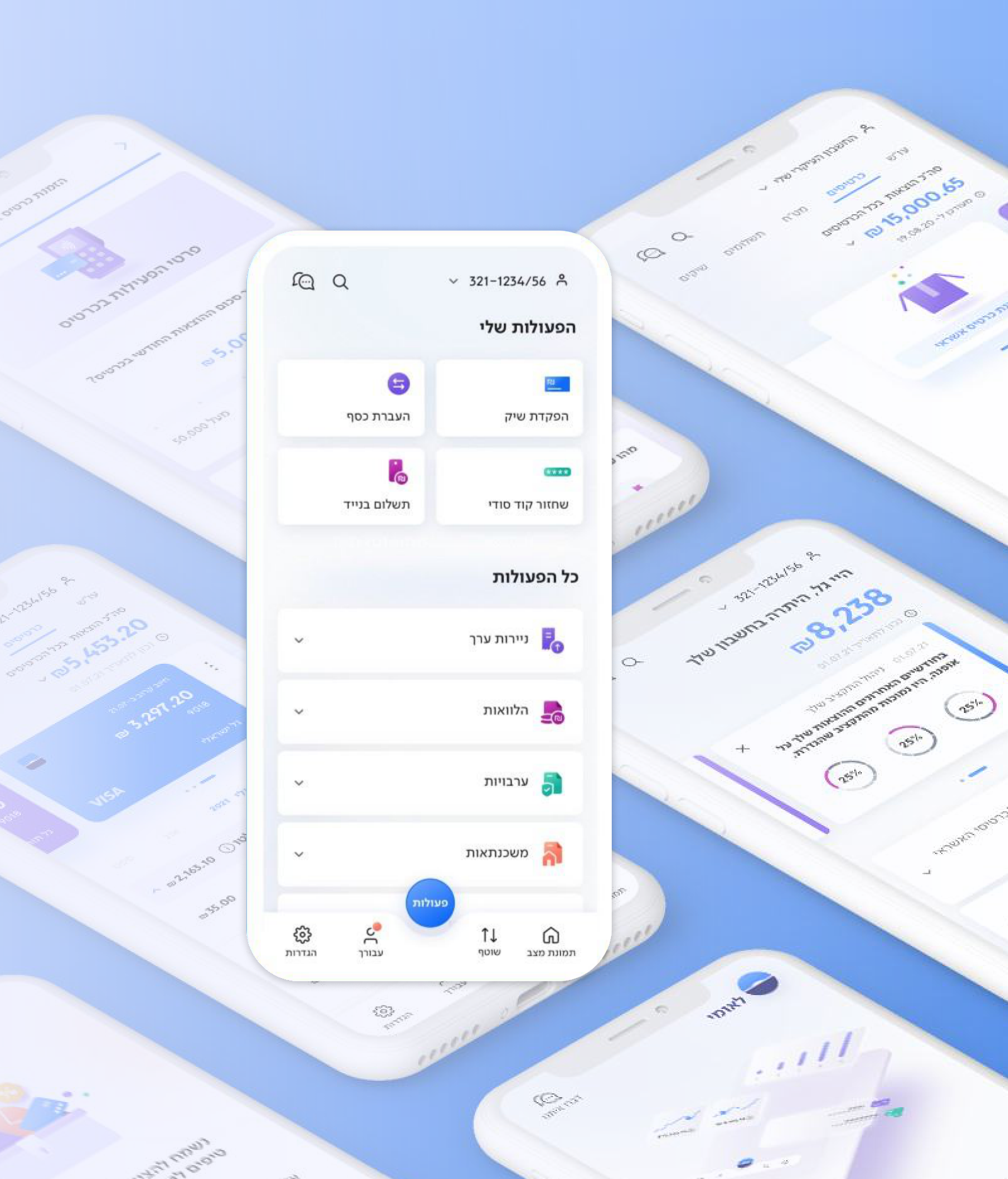
Leumi 4.0 app screens floating on a soft blue background
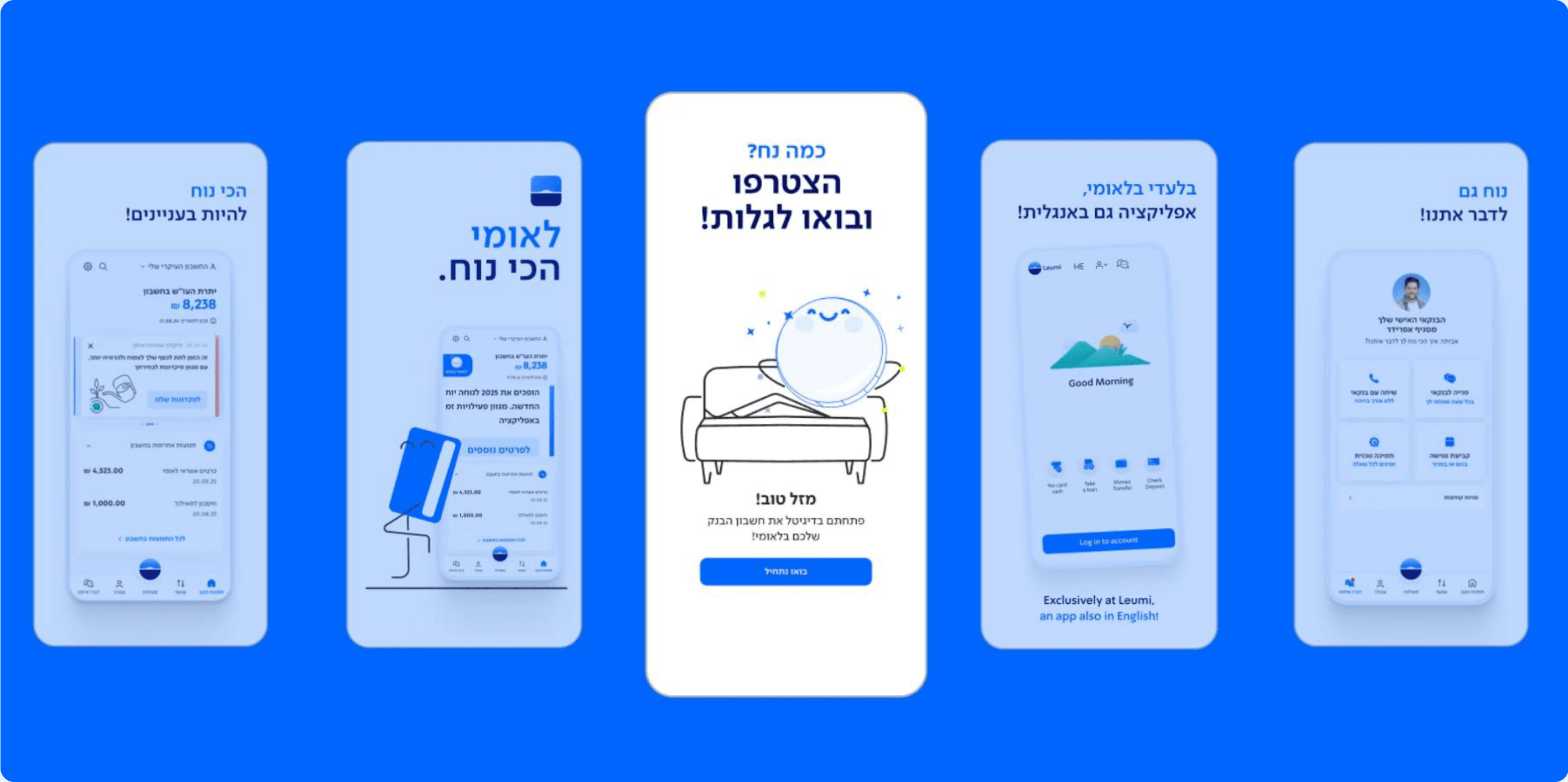
Five Leumi 4.0 app screens on a blue background

Implementing Intuitive Search in Leumi 4.0

Mission

Tasked with introducing an in-app search feature to Leumi 4.0, I conducted an expert review to provide recommendations for its seamless implementation.

Target Audience

Leumi 4.0's search feature caters to a diverse audience, ensuring quick and intuitive access for all digital banking users.

Objectives

  • Conduct a comprehensive market review
  • Recognize intuitive search aids features
  • Provide recommendations for implementation

What information might users search for in their banking app?

Mapped potential user searches for Leumi 4.0, considering common queries related to transactions, contacts, transaction amounts, in-app actions, app settings, and insights. This insight guided recommendations to fulfill user expectations.

  • Account Balances

    Users may search for their current account balances or specific account details.

  • Transaction History

    Queries related to recent transactions, transaction details, or specific transaction dates.

  • Fund Transfers

    Searches related to initiating fund transfers, or contacts for transfer.

  • Bill Payments

    Users may search for features related to paying bills, setting up automatic payments, or viewing payment history.

  • Card Management

    Queries about managing credit or debit cards, including activating, blocking, or replacing cards.

  • Interest Rates

    Searches for information on current interest rates for savings accounts, loans, or other financial products.

  • Branch & ATM Locations

    Users may look for the nearest branches or ATMs, including location details and operating hours.

  • Loan Information

    Queries related to loan details, eligibility, repayment options, and interest rates.

  • Customer Support

    Searches for customer support features, including contact information and chat support.

  • App Settings & Security

    Users might search for settings related to enhancing the security of their accounts, or toggle notifications.

  • Financial Planning

    Searches for tools or insights related to financial planning, budgeting, or investment options.

  • Promotions and Offers

    Queries about ongoing promotions, special offers, or rewards programs.

Market Review

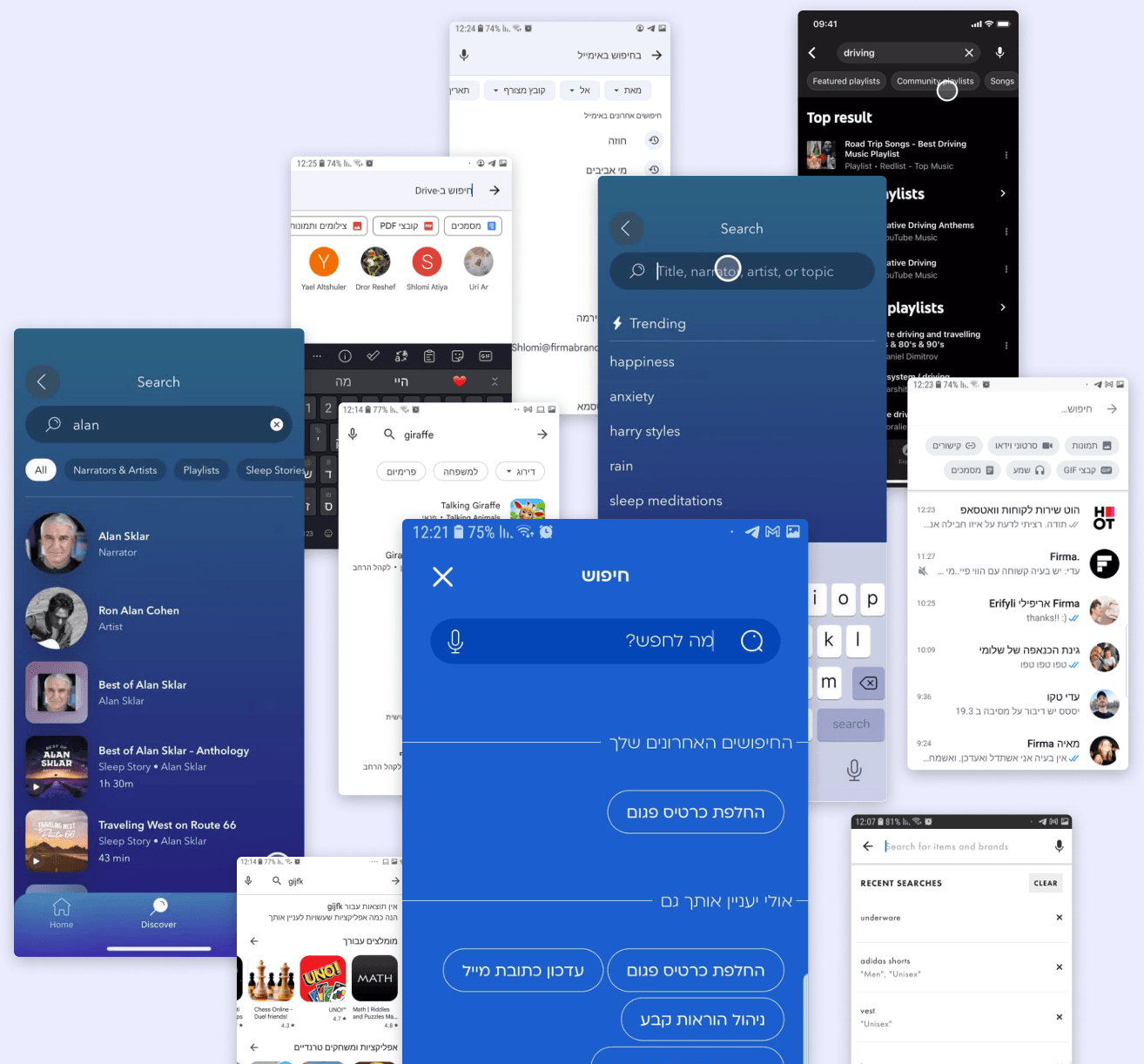
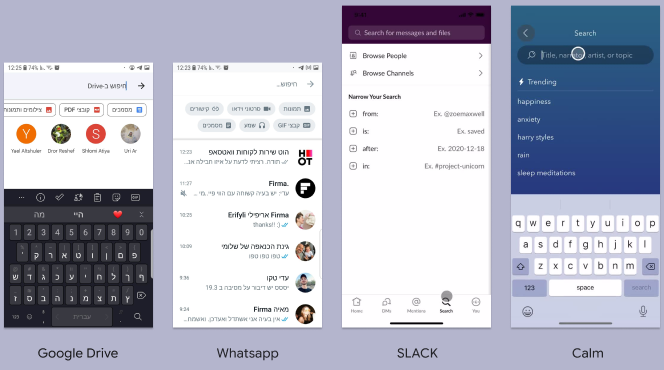
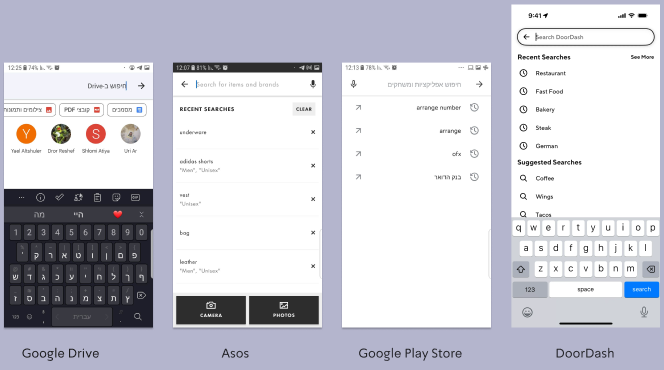
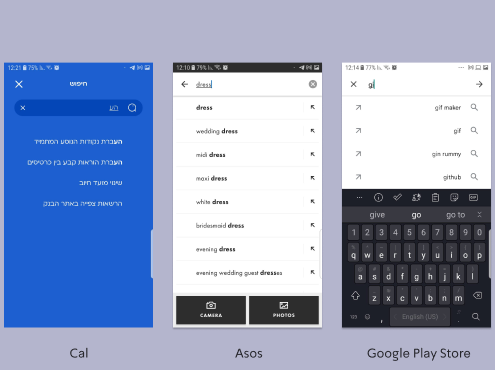
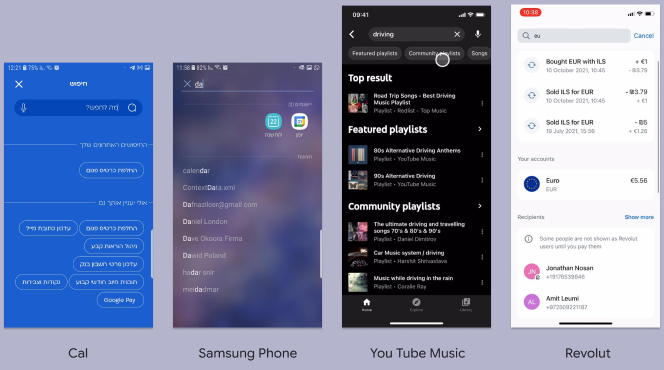
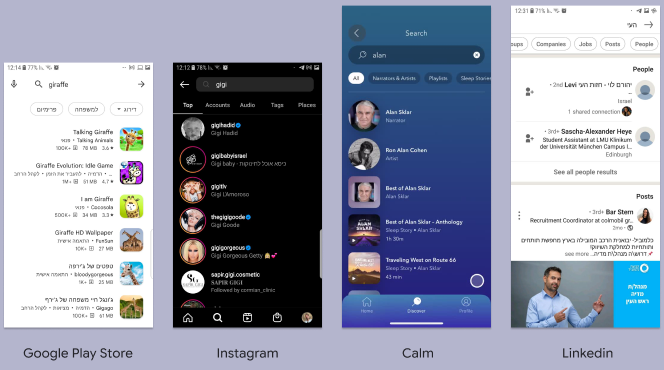
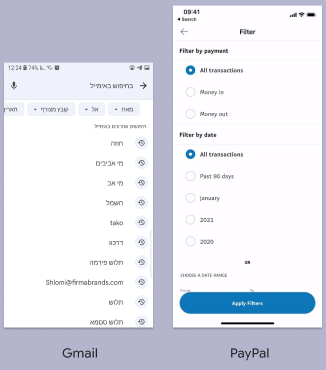
Benchmarked search features in popular applications to identify industry practices and establish a standard for optimizing the search functionality within Leumi 4.0.

A collage of search screens from popular apps

Optimizing Search with Assistance Features

Before Searching

  • Instant search
  • Placeholder Text
  • Auto-Suggestions
  • Suggest from History
  • Search Tips
  • Voice Search

While Searching

  • Auto-Complete
  • Spell Correction
  • Synonym Suggestions
  • Semantic Search
  • Dynamic Results
  • Search Filters

After Searching

  • Zero Query Search
  • Related Searches
  • Promoting services
  • Rich Snippets
  • Tabbed Navigation in Results
  • Clustered results

Recommendations Implemented
within Leumi 4.0 App

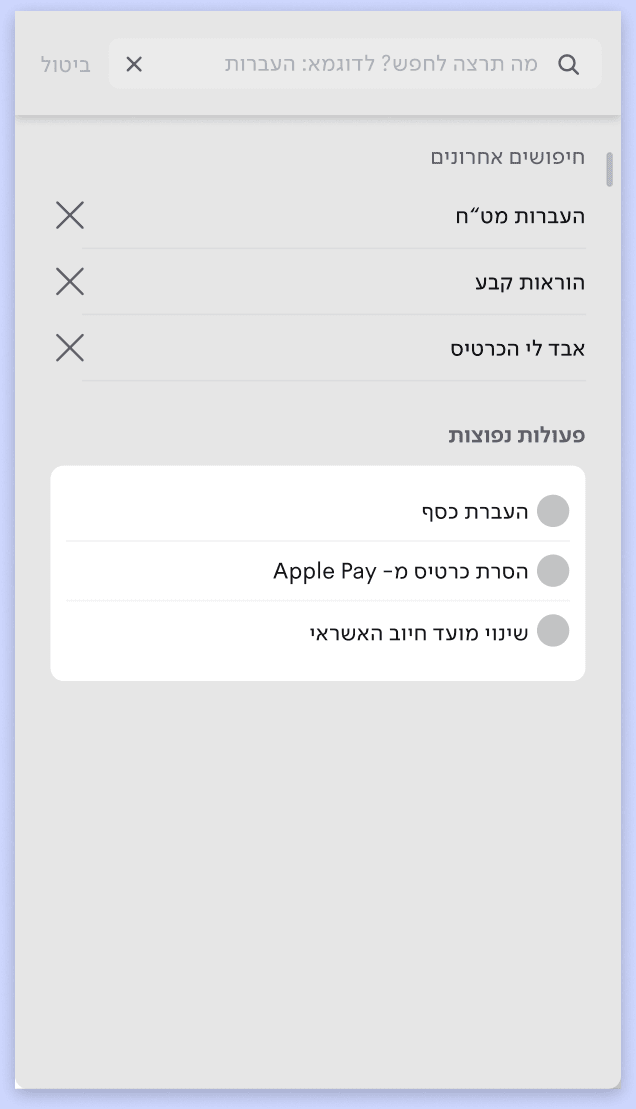
Initial Click on Search Icon

  • Initial click on the search icon expands the search box. Placeholder text illustrates potential search queries.
  • Recent search phrases from the user's history are suggested.
  • Additional suggestions include common actions within the app.
Leumi search screen after the first click, with recent searches and common actions

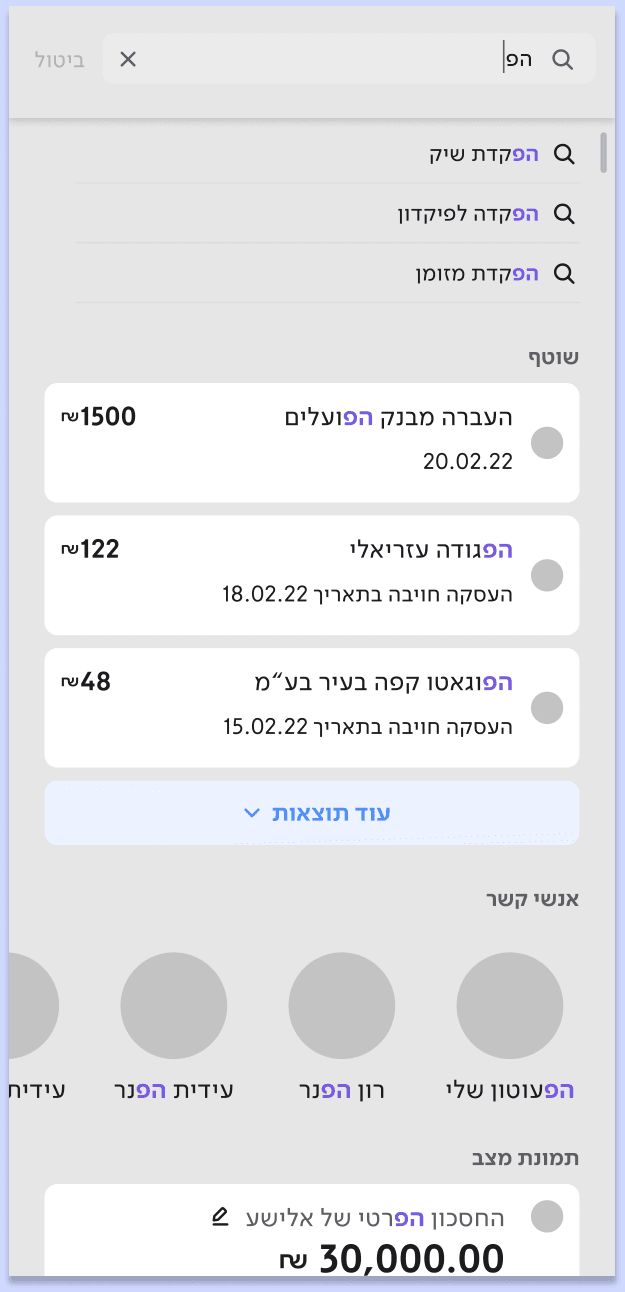
Search Execution

  • Auto-complete text suggestions from the second typed note, highlighting compatible results.
  • Clustered results by subject (actions, transactions, contacts, insights).
  • Prioritizing results from current page.
Leumi search results clustered by subject

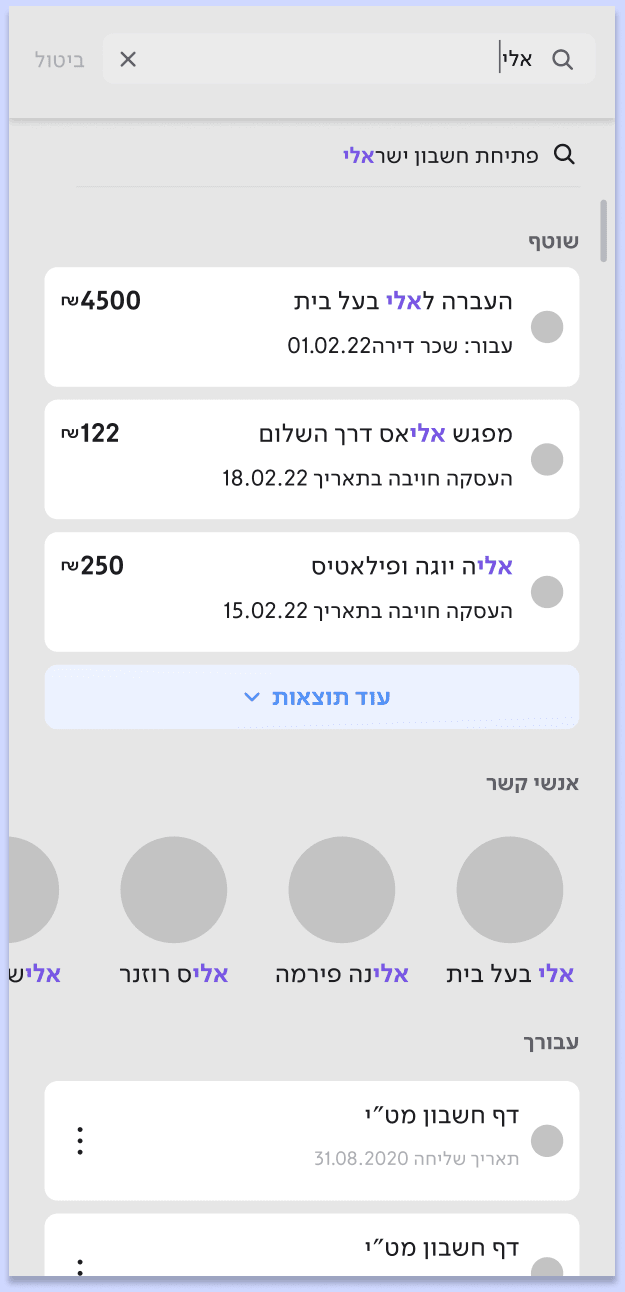
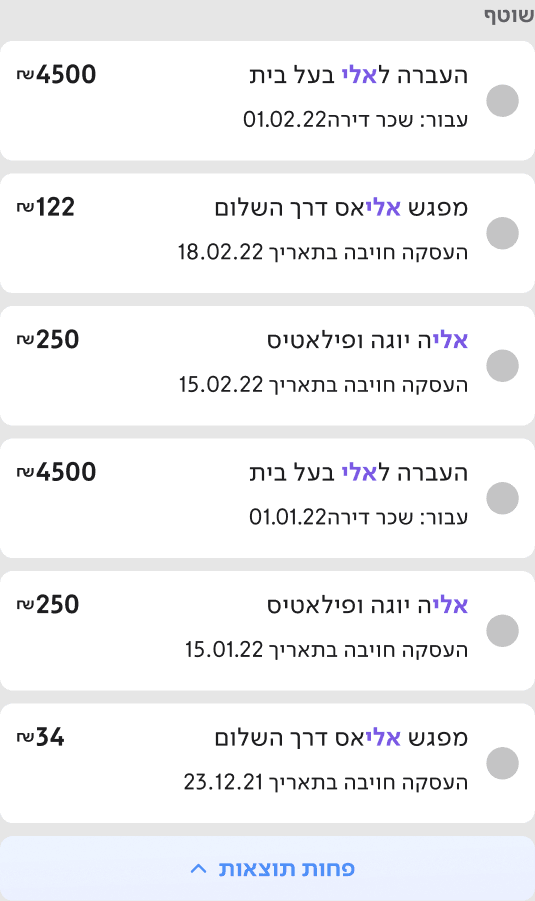
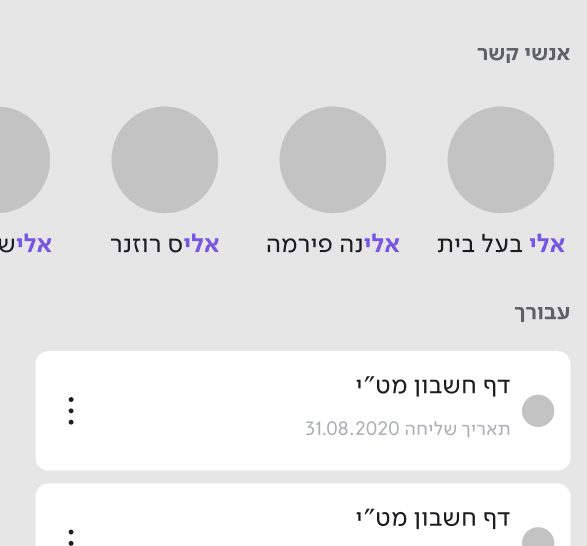
Typing an Example Search Phrase (e.g. “אלי”)

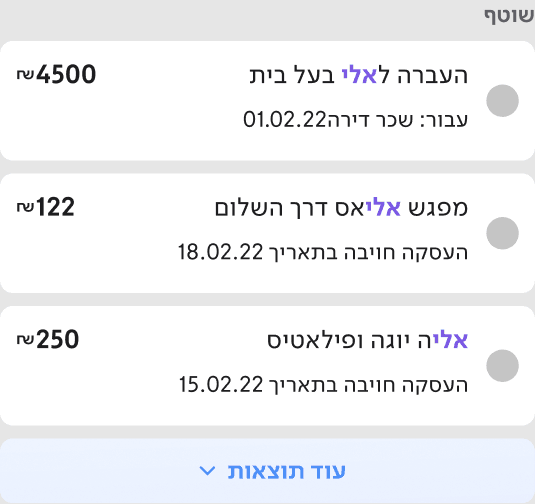
  • Displaying 3 results max. from each category.
  • “Show More” button expands for more results.
  • Text will auto complete to display results by the following: 1. Common phrases from users history, 2. Transactions & Transfers, 3. Contacts, 4. From “for you” section, 5. From personal insights.
Leumi search results for the phrase “אלי”

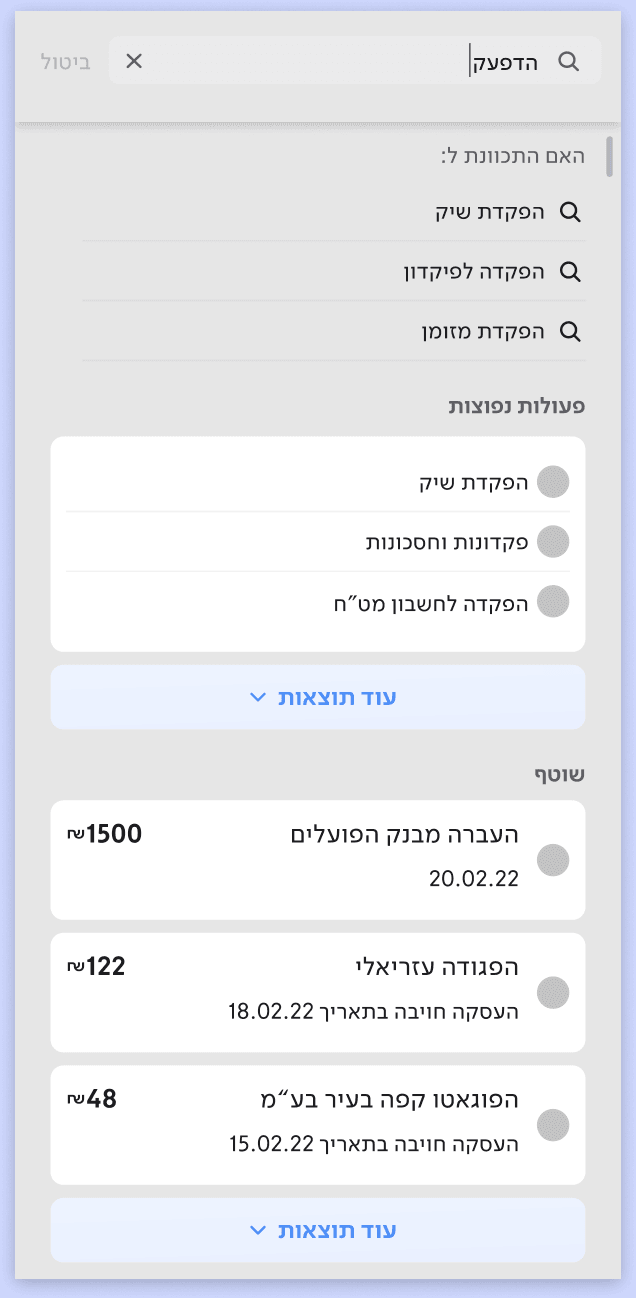
No Results or Mistake

  • Offer spell correction to relevant terms.
  • Additional suggestions from “common actions” and transactions.
Spell correction suggestions in Leumi search

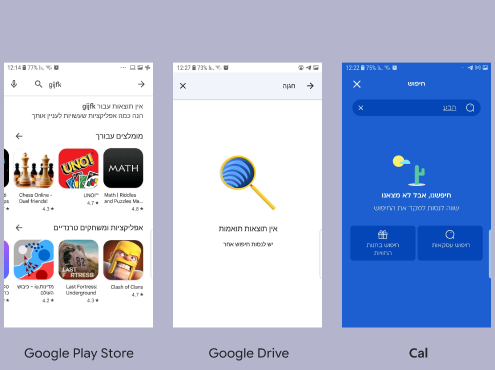
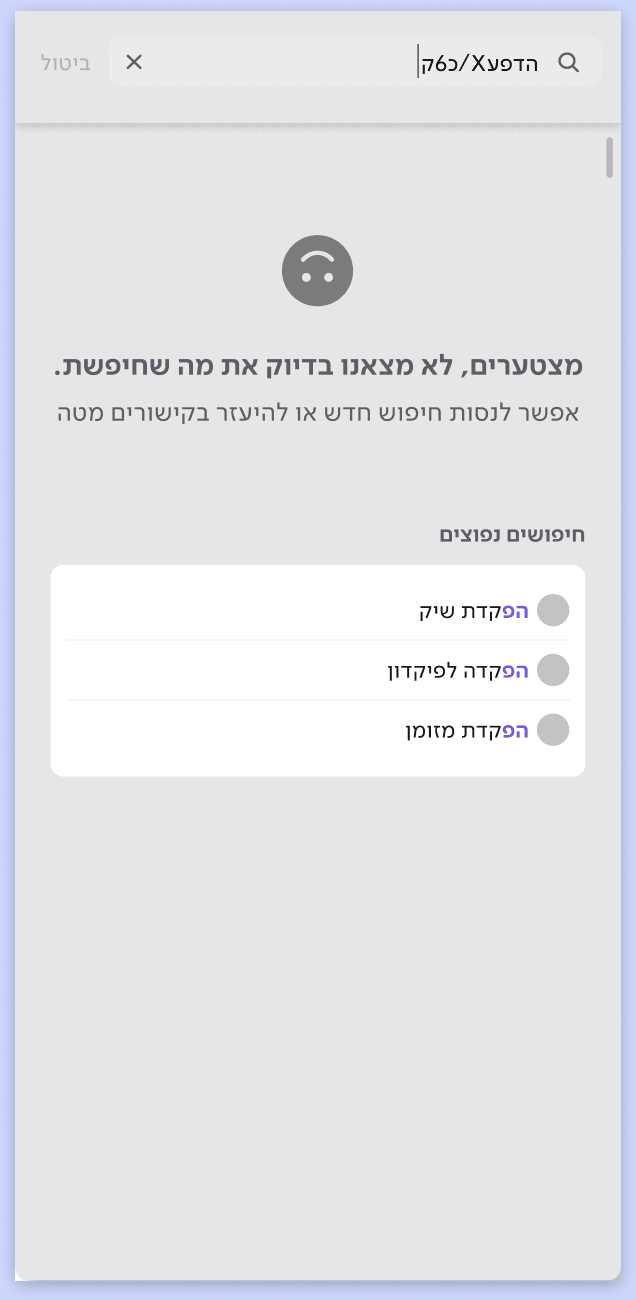
If still no results, show a clear, friendly message and offer alternatives.

A friendly no-results message with alternative suggestions

Conclusions

Following the implementation phase, most of the recommended enhancements to the 'Search' feature have been successfully integrated into the Leumi app. These improvements, executed based on feasibility and effort considerations, mark a positive step towards providing users with an enriched and user-friendly search experience.

Next Steps

Continuously refine the 'Search' feature based on user feedback and explore further enhancements for an ever-improving Leumi app experience.

Illustration of two coins, a shekel and a dollar, walking hand in hand